Web performance
How website speed affects SEO
Learn how website speed affects SEO, Core Web Vitals, user experience and conversions, plus how to measure and improve real-world performance.
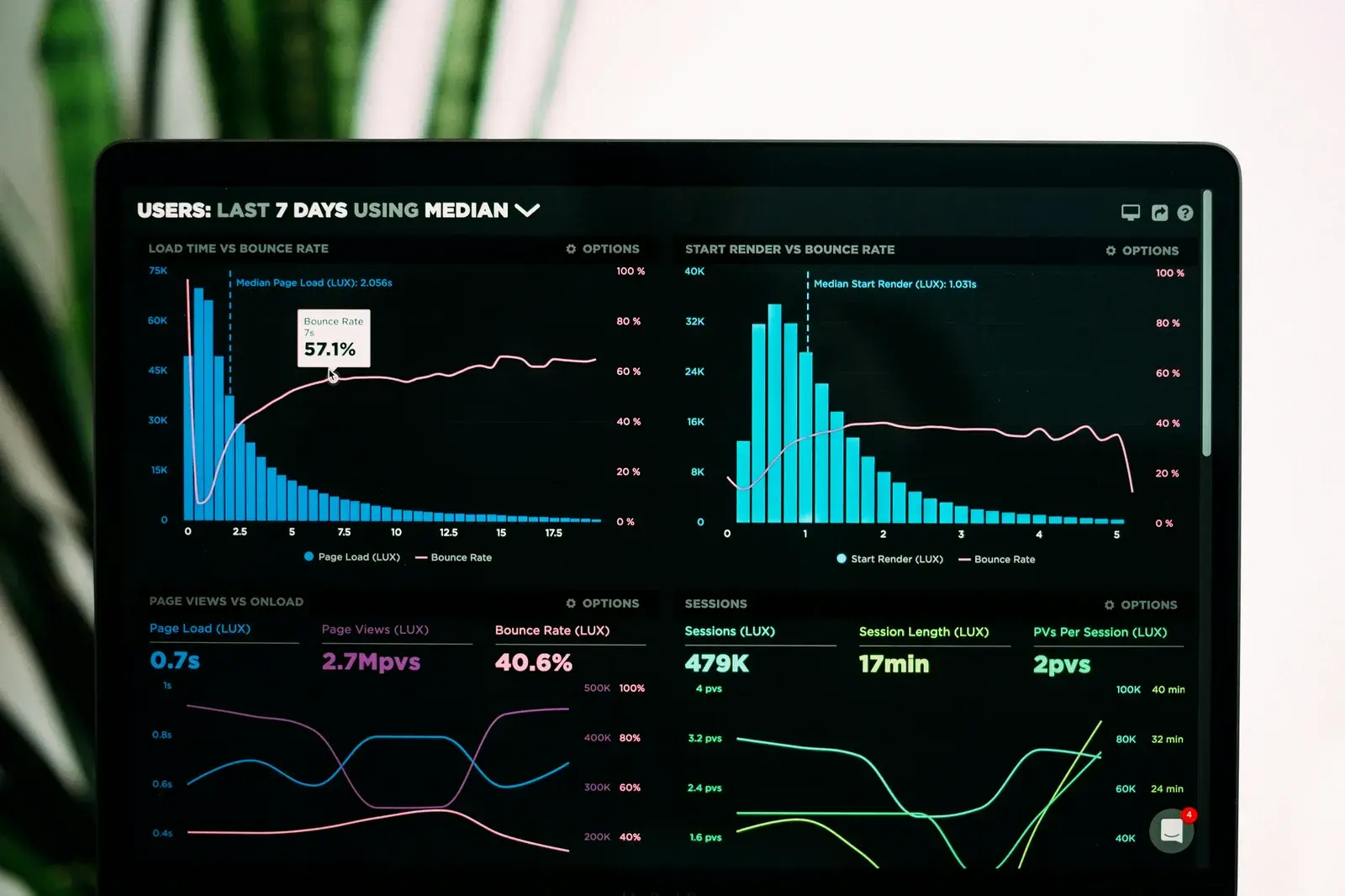
Website speed matters for SEO because it shapes the experience people have when they open and use a page. Google includes Core Web Vitals within its page experience signals, so consistently poor performance can contribute to a weaker overall result.
That does not mean a fast website automatically ranks well. Relevant content, a clear structure and the overall quality of the page matter far more than chasing a perfect performance score. Speed supports a good page; it cannot make an irrelevant one useful.
Does Google actually penalise slow websites?
The balanced answer is that Google uses many signals, and speed is one part of a much wider system. Page experience and Core Web Vitals can influence search, but there is no official percentage showing how much a second of loading time is worth, and no PageSpeed score that maps directly to a ranking position.
A very slow page can make it harder for visitors to reach or use its content, especially on mobile. That poor experience matters in its own right and can sit alongside weaker technical signals. However, making an unhelpful article load in half a second will not make it the best answer to a search query.
It is more useful to treat performance as part of technical quality. When two pages answer a need equally well, details such as stability, responsiveness and loading experience can strengthen one page. They should not be presented as a shortcut around content, authority or search intent.
What are Core Web Vitals?
Core Web Vitals are metrics designed to describe key parts of the experience a real visitor receives. They focus on loading, responsiveness and visual stability rather than reducing a whole website to one abstract score.
LCP — Largest Contentful Paint
Largest Contentful Paint measures how long it takes for the main visible piece of content to appear. Depending on the page, that may be a large image, a heading or a prominent block of text.
LCP is useful because it is close to perceived loading. A visitor does not care that a background request has finished if the product image or the main article still has not appeared. Improving LCP often involves optimising the main image, server response, fonts and resources that block rendering.
INP — Interaction to Next Paint
Interaction to Next Paint measures how quickly a page gives visual feedback after a user interacts with it. That includes taps, clicks and keyboard input across the visit, not just the first action.
INP replaced First Input Delay (FID) as a Core Web Vital because it gives a broader picture of responsiveness. A page can look fully loaded while still feeling slow if JavaScript keeps the browser busy when someone opens a menu, selects a filter or types into a form.
CLS — Cumulative Layout Shift
Cumulative Layout Shift measures unexpected movement while a page is being displayed. A familiar example is a button moving just before it is clicked because an image, advert or font changes the layout above it.
Good visual stability makes a page easier to read and trust. Reserving space for images, embedding fonts carefully and avoiding content that appears above what the visitor is already using can reduce layout shifts.

Together, these metrics describe practical aspects of page experience. They are diagnostic tools, not badges that replace testing the website with real people.
Why slow pages lose users
Waiting creates friction before a page has had the chance to explain its value. If the main content appears late, a visitor may assume the site is broken, the connection has failed or the information is not worth the delay.
The effect is more visible on mobile, where hardware and network quality vary. A page that feels acceptable on a recent laptop connected to fibre may be uncomfortable on an older phone over a busy mobile connection. That difference is why testing only on the developer's machine gives an incomplete picture.
Slow interactions are just as disruptive as slow loading. A menu that hesitates, a filter that freezes or a form that gives no feedback leaves people unsure whether their action worked. In ecommerce, the same uncertainty can appear while adding a product to the basket or moving towards payment.
No unsupported abandonment percentage is needed to make the point. Every avoidable wait asks a visitor to spend more patience on the interface instead of the task they came to complete.
Speed also affects conversion
Conversion means the useful action a page is designed to support: submitting an enquiry, booking an appointment, buying a product, downloading a document or joining a service. Performance affects the effort required to reach that action.
A responsive website lets someone move between pages, compare information and complete a form without repeatedly waiting for the interface. A slow one adds small interruptions throughout the same journey. Those interruptions do not prove a fixed conversion loss, but they create friction that can be avoided.
The sensible goal is not to claim that every millisecond has a universal cash value. It is to remove technical delays that get between a visitor and a clear, useful next step.
What usually makes a website slow?
Most slow websites are not caused by one spectacular mistake. Performance often deteriorates as images, scripts, integrations and publishing tools accumulate.
Heavy images
An image may be displayed at 800 pixels wide while the browser downloads a file several times larger. Poor compression, unsuitable formats and missing responsive sizes all waste bandwidth. Images below the initial viewport should also be loaded only when they are likely to be needed.
Good image optimisation balances dimensions, format and visual quality. The aim is not to make every photograph visibly degraded, but to avoid sending data the screen cannot use.
Too much JavaScript
Large JavaScript bundles take time to download, parse and run. A site can become heavy when it ships complete libraries for small features, hydrates content that does not need client-side behaviour, or keeps scripts that are no longer used.
JavaScript also competes for the browser's attention. Long tasks can delay clicks and typing even after the page looks ready, which is directly relevant to INP.

Fonts and external resources
Every font family and weight can add another file and another request. Loading several variants that the design never uses increases work without improving the page. Poor font loading can also delay text or cause it to shift after first render.
External stylesheets, icon sets and embedded media deserve the same review. A resource being hosted elsewhere does not make its loading cost disappear.
Plugins and extensions
Plugins are not inherently slow. A focused, well-built extension can solve a real need efficiently. Problems arise when many overlapping plugins load scripts and styles on every page, or when an abandoned extension performs unnecessary database work.
This is common in some WordPress installations, but it is an implementation problem rather than a verdict on the CMS itself. The useful questions are what each plugin does, where its resources load and whether it is maintained.
Hosting and backend response time
The browser cannot render content it has not received. Slow application code, database queries, an overloaded server or missing cache layers can delay the initial response before front-end optimisation even begins.
Hosting should match the project. A static business website, an international store and a data-heavy internal tool have different requirements. Paying for a larger server does not fix inefficient application logic, while careful caching cannot solve every real-time workload.
Third-party services
Analytics, consent tools, chat widgets, advertising, maps, videos and marketing automation each introduce requests outside the website's direct control. Their response times can vary and their scripts may occupy the main browser thread.
Third-party services should be reviewed according to the value they provide. Removing all of them is rarely realistic, but loading them deliberately and only where needed can prevent a useful integration from affecting every page.
Is WordPress automatically slower than custom development?
No. A well-built WordPress site with a suitable theme, a controlled set of plugins, effective caching and appropriate hosting can be fast. Poor custom code can be slow even when it uses a modern framework.
Architecture and implementation matter more than labels. WordPress can become heavy when page builders, plugins and scripts are stacked without review. Custom development can become heavy when it ships too much JavaScript, handles data inefficiently or ignores image delivery.
The right choice depends on the editing workflow, features, expected growth and technical ownership of the project. The article comparing a custom website and WordPress examines those trade-offs without treating performance as an automatic win for either option. When the use case requires specific workflows, custom web development can provide more control, but that control still has to be used well.
How should website performance be measured?
Start with more than one type of evidence:
- PageSpeed Insights reports a laboratory test and, when enough information is available, real-user data collected from Chrome users.
- Lighthouse, available in Chrome DevTools, runs a controlled audit covering performance, accessibility, best practices and basic SEO checks.
- Chrome DevTools helps investigate an individual page in detail, including its requests, loading sequence, layout shifts and main-thread work.
Laboratory data is produced under controlled, simulated conditions. It is useful for reproducing problems and comparing changes. Real-user data reflects the devices, networks and journeys of actual visitors, but it is aggregated over time and may not be available for a low-traffic page.
Test mobile and desktop separately. Also test representative pages rather than only the homepage: a product page, an article, a search result and a checkout can have very different performance characteristics.

Why PageSpeed scores change between tests
PageSpeed and Lighthouse results naturally vary. Laboratory tests simulate hardware and network conditions, but the server, cache and third-party services still respond in real time.
A first request may have an empty browser or CDN cache, while the next benefits from resources already stored. Server load changes, an analytics provider may respond more slowly, and small differences in execution timing can move a metric across a scoring threshold.
That is why one isolated score should not drive a decision. Run several tests under comparable conditions, inspect the underlying metrics and look for a consistent pattern. A change from 92 to 86 is not automatically a regression; the detailed timings show whether the page itself has changed.
Do you need a 100/100 PageSpeed score?
No. A perfect score can be satisfying, but it is not the purpose of a website and it does not guarantee a perfect experience. Test tools simplify several metrics into one number, and that number is sensitive to the conditions of the run.
Prioritise outcomes people can feel:
- the main content appears in a reasonable time;
- the layout remains stable;
- menus, forms and controls respond promptly;
- the experience remains usable on typical mobile connections;
- Core Web Vitals are healthy in real-user data where available.
Optimising a minor laboratory warning at the expense of a useful feature, readable typography or maintainable code can be the wrong trade-off. A score is most useful when it points to a real problem, not when it becomes a marketing target.
How CAPARD studio approaches performance
CAPARD studio treats performance as a design and engineering constraint, not a task left until launch. The work can include optimising images, reducing unnecessary resources, using JavaScript deliberately and choosing an architecture suited to the actual project.
The process starts by measuring before changing code, then checking the result after an optimisation. The web performance approach explains how these priorities fit into a project. The level of work still depends on the scope, integrations and content; there is no promise that every website will receive or needs a 100/100 score.
Performance is also one part of the wider project estimate. The guide to website costs in 2026 explains how technical quality, functionality and project scope influence the work involved. Examples of completed projects can be found in the portfolio.
Performance does not replace SEO or good content
A fast page that does not answer the searcher's question will not rank simply because it loads quickly. Search engines still need clear content, meaningful structure, crawlable links and enough context to understand what the page offers.
Technical SEO, content, information architecture and internal linking work together. Performance supports this foundation by making the result easier to access and use. The project method helps define those priorities, while the wider website services cover the other parts of a coherent build.
The same principle applies after launch. Publishing useful content without maintaining the technical foundation can gradually weaken the experience, while technical optimisation without useful content gives visitors little reason to stay.
How to tell if your website is too slow
You can identify several warning signs before running a detailed audit:
- the main content appears noticeably late;
- images remain blank or load in visibly after the surrounding text;
- headings, buttons or paragraphs move while the page loads;
- taps and clicks do not receive prompt visual feedback;
- mobile navigation feels sluggish on a normal connection;
- Core Web Vitals in PageSpeed Insights or Search Console report persistent problems;
- many third-party scripts load even on pages that do not use their features.

One symptom does not reveal the complete cause. A slow server, an oversized hero image and a delayed interaction need different fixes. Measure the affected page, identify the bottleneck and improve the part visitors actually experience.
Conclusion
Performance should not be optimised only for Google. It should be optimised for people: to make content appear promptly, keep layouts stable and let every interaction feel dependable. That is exactly why website performance belongs in a good SEO strategy.
Speed remains one part of the whole. The strongest result combines useful content, sound technical SEO, a clear structure and an implementation that does not make visitors wait unnecessarily.
- website speed SEO
- Core Web Vitals
- website performance
- page speed SEO
- technical SEO